Manage memberships
Sell plans, review applications, onboard account owners and teams, assign multiple suites and keep billing in step.
Plans · applications · billing · teams
Front desk, automated
Re:Me runs the day-to-day for coworking spaces and mail centers — memberships, bookings, mail, compliance and paid services. It doesn't wait to be asked.
Lobi Space Front Desk
Today 9:12 AM
Received today
42
Needs review
4
1583 pending
6
Handled
38
Built for coworking spaces, mail centers and virtual-office operators
What the category sells
What Re:Me sells
Photograph the envelope, dictate it, or type it. One tap, standing, one-handed.
The agent matches the recipient to a member with a confidence score, and surfaces candidates when it isn't sure.
Notifications sent, tasks created, compliance tracked. Close the day in one press.
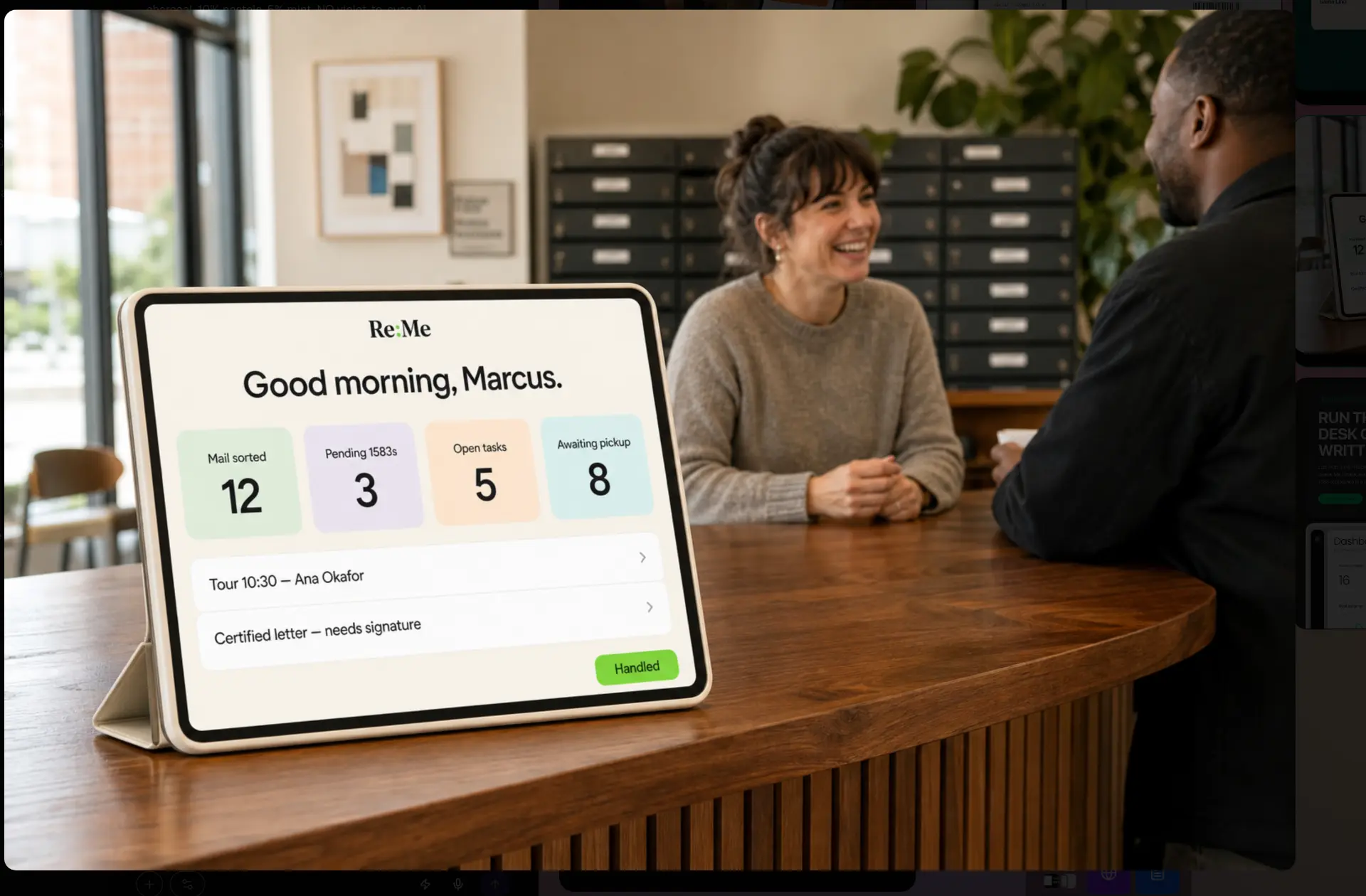
At the desk
Mail is sorted, matched and notified before the first member walks in. Staff spend the morning greeting people, not deciphering envelopes.
What Re:Me can run
Re:Me connects the work your staff do, the services your members buy and the records your business has to keep.
Sell plans, review applications, onboard account owners and teams, assign multiple suites and keep billing in step.
Plans · applications · billing · teams
Publish live room availability, take reservations and payments, and give members one place to manage every booking.
Availability · reservations · payments
Log and match arrivals, notify the right account, and fulfil scans, pickups, forwarding, shredding and deposits.
Intake · matching · requests · notices
Collect Form 1583 records and identity documents, track verification, send reminders and keep filing status visible.
1583 · identity · documents · reminders
Configure service terms and recurring fees, generate customer agreements, then track delivery through fulfilment.
Agreements · recurring fees · fulfilment
Put memberships, rooms, add-ons and compliance services on your public page with a connected checkout journey.
Plans · rooms · add-ons · checkout
Camera capture, a 72px voice button with live transcript, and a typed fallback — all feeding one dense queue that resolves to matched or review.
Match reviews, forwards, pickups, scans and shreds in one filtered list. Fulfilment is a single big button; done work collapses away.
Searchable roster with suite numbers, tags, statuses, notes timeline and full mail history in a detail drawer.
Thirty-day mail volume, active members, pending 1583s, open tasks and items awaiting pickup at a glance.
Every member carries a compliance state — pending, docs received, verified, filed — colour-coded so gaps are impossible to miss.
Location name, logo and accent colour come from config. Every query is scoped by location, so one deployment serves many spaces.
Keep your existing mailbox, productivity and team tools while Re:Me coordinates the work between them.
 Anytime Mailbox
 SphereMail
 Google Workspace
 Notion
 Slack
SlackAnd more
Your stack, connected
Ask Re:Me
Ask Re:Me can summarize the day, surface unfinished work, explain trends and help staff find the answer without digging through every screen.
Choose your preferred model
Coming soon ChatGPT
 Gemini
 Claude
 DeepSeek
Ask Re:Me is available in the product today. Direct connections to these model providers are planned.
Built around your space
Accent and surface colours follow your brand tokens.
Wordmark and favicon set per location.
Members, mail and history stay scoped to your locations.
Hours, intake cut-off and notification rules, per location.
Start from the front-desk agent or shape your own.
Plug into the tools you already run the space on.
We run it every day.
No. Staff still handle the same envelopes — Re:Me only changes how they're logged: a photo, a sentence or a line of text.
Low-confidence items land in review with the top three candidate members as one-tap buttons, plus a member search fallback.
Every member carries a compliance state and the dashboard counts what's outstanding, so nothing sits in pending unnoticed.
Yes. Every record is scoped by location, and branding comes from the location config rather than being baked into the interface.
Yes. Your public space page can offer membership plans, on-demand rooms, add-ons and compliance services, with bookings and payments flowing into the same operation.
Not yet. Anytime Mailbox, SphereMail, Google Workspace, Notion and Slack connections are on the roadmap and are clearly marked Coming soon.
Ask Re:Me works inside the product today. Direct connections to ChatGPT, Gemini, Claude and DeepSeek are planned and marked Coming soon.
It's designed for it — big tap targets, one-handed voice intake, and a dense queue that stays readable at tablet width.
It's the staff sign-in for centers running ReMe. Staff are invited by their manager or owner; members use the separate member portal sign-in.
Open the front desk and watch the whole day's operation get handled.
Start your workspace